> For the complete documentation index, see [llms.txt](https://docs.unlocks.app/llms.txt). Markdown versions of documentation pages are available by appending `.md` to page URLs; this page is available as [Markdown](https://docs.unlocks.app/tier-overviews/tokenomist.md).
# Tokenomist
A guide to our free tools
## Overview
Tokenomist Free gives you access to the essential tools for exploring token unlocks and supply schedules. Track upcoming unlock events, view project pages, and stay informed on tokenomics fundamentals, all in one place.
Let’s take a look at what you can do with a Free account.
## Stay up to date with upcoming token releases
Get a real-time view of upcoming token releases across the market on the Token Unlocks page. Tokenomist aggregates release schedules from verified sources so you never miss a key event.
Additionally, filter by category, big unlocks, or market cap in order to narrow down tokens of interest.
Learn more about our [Token Unlocks](/features/token-unlocks.md) page and what you can do with it.
## Track project release schedules with monthly detail
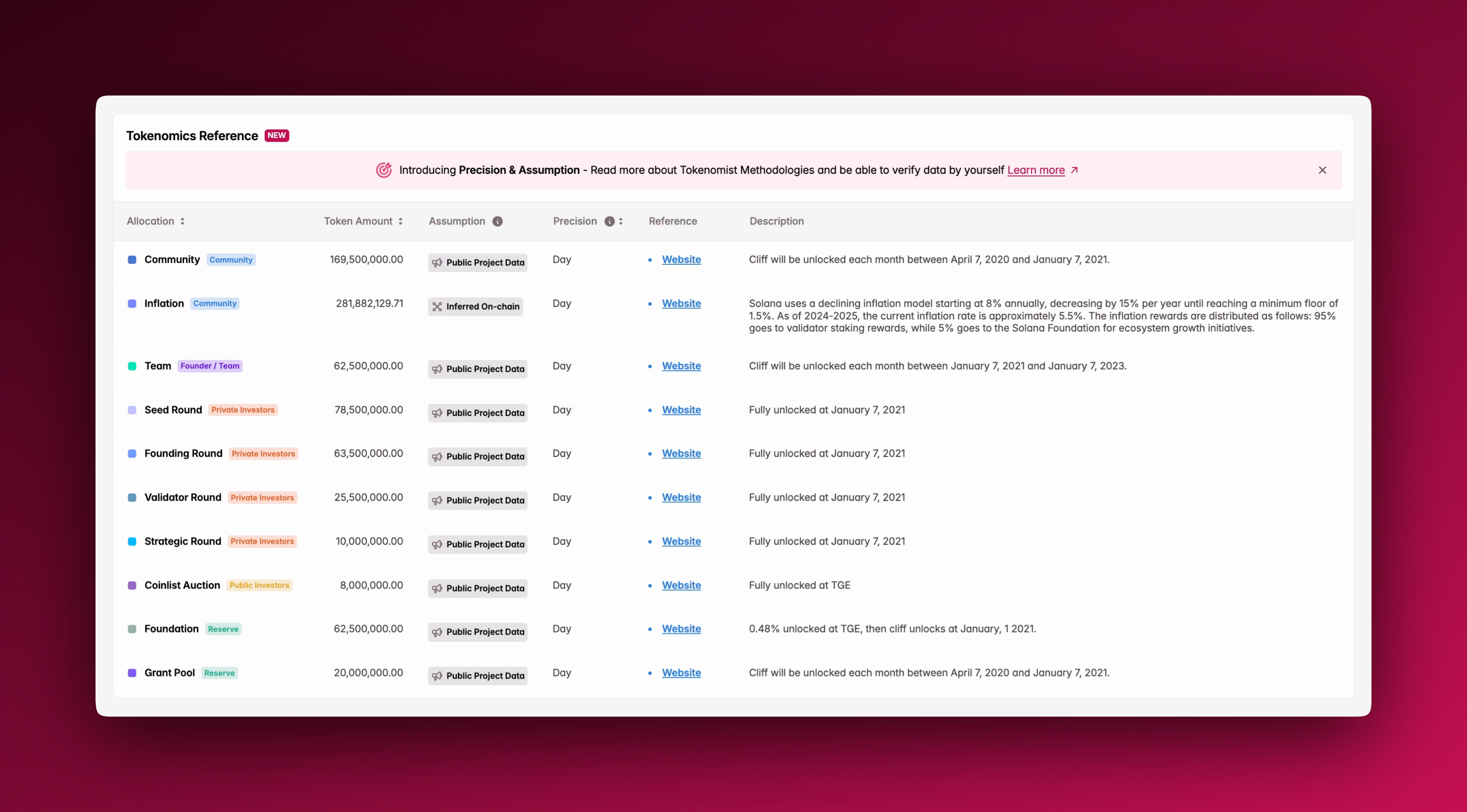
Explore historical and projected token release schedules at the individual project level, broken down with monthly granularity. See when and how much supply is set to be released, and who it is allocated to.
See Precision and Assumptions to see data granularity, assumptions made, and references, in order to verify data yourself.
Check out the [Token Page](/tokenomist/token-page.md) to see everything you can do with it, or learn more about how [Precisions and Assumptions](/methodology/precisions-and-assumptions.md) works.
## Analyze market-wide emissions
Go beyond single projects by analyzing the total emissions of the crypto market in any rolling two-month window. Quickly identify periods of elevated supply pressure across the ecosystem.
Filter by category to see sector specific supply pressure.
See [Emission](/features/emission.md) to learn more about this feature.
## Compare token specific emissions
View total, cliff, and linear releases for specific tokens projected in the next 7 days or 1 month. Understand how different schedules affect near-term supply dynamics.
See emission rates as percentage of circulating or unlocked supply for further analysis.
See how to make use of our [Emission Comparison](/features/emission/emission-comparison.md) feature.
## See the latest tokenomics updates
Stay informed with the most recent changes to tokenomics, including schedule updates, allocation adjustments, and new project disclosures. All updates are verified and continuously tracked for accuracy.
Learn more about why and how we track [Updates](/features/updates.md).
## Switch to trader mode
Enable **Trader Mode** (also known as **WenUnlocks**) for a streamlined view built for active market participants. Highlight the most immediate unlocks and emissions data with monthly precision.
It’s designed for quick decision-making, letting you react faster to supply events.
## What about Pro?
Check out [Tokenomist Pro](/tier-overviews/tokenomist-pro.md) to see all the additional tools available to you with a **Pro** subscription, or visit [Pricing](https://tokenomist.ai/pricing) to see the full list of differences between tiers.